← Paper libraryChoose A4 paper in print settings.
Name: _________________________   Section: __________   Date: __________
1. What does CPU stand for?
○ A. Central Processing Unit
○ B. Central Printing Unit
○ C. Computer Playing Umbrella
○ D. Colour Picture Unit
Parts of a Computer
2. What is the shape of the pictured pointer?

Question diagram
○ A. Arrow
○ B. Square
○ C. Circle
○ D. Star
Parts of a Computer
3. The pointer moves in which direction when we move the mouse?
○ A. The same direction
○ B. Only downwards
○ C. Only upwards
○ D. It never moves
Parts of a Computer
4. What is the use of the part in this picture?
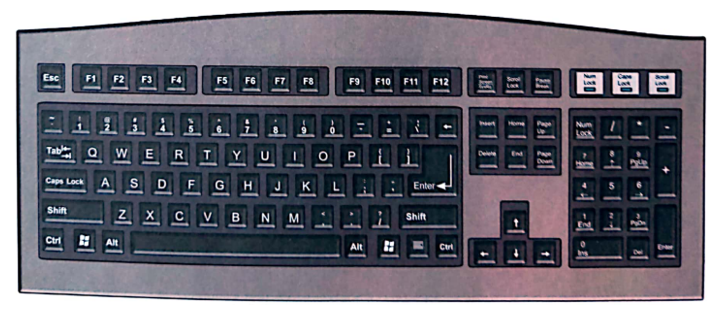
Question diagram
○ A. It plays sound
○ B. It keeps food cool
○ C. It is used to type
○ D. It prints on paper
Parts of a Computer
Name: _________________________   Section: __________   Date: __________
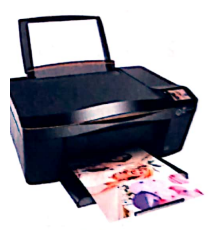
5. Which part can produce a paper copy of a letter?
Question diagram
○ A. Monitor stand
○ B. Keyboard
○ C. Printer
○ D. Speakers
Parts of a Computer
6. Which part should be used to hear a song?
○ A. Speakers
○ B. Printer tray
○ C. Keyboard keys
○ D. Monitor stand
Parts of a Computer
7. How many main computer parts are listed in the book?
○ A. Seven
○ B. Two
○ C. Four
○ D. One
Parts of a Computer
8. What do we press when we type?
○ A. Printer paper
○ B. Keyboard keys
○ C. Speaker covers
○ D. Monitor stands
Parts of a Computer
Name: _________________________   Section: __________   Date: __________
9. Which is NOT a job of speakers?
○ A. Playing a movie's sound
○ B. Typing words
○ C. Playing other computer sounds
○ D. Playing music
Parts of a Computer
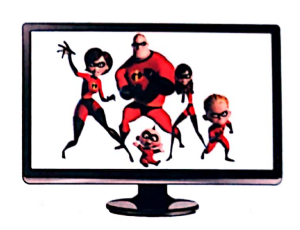
10. Which part shows whatever we do on a computer?
○ A. Mouse
○ B. Monitor
○ C. Speakers
○ D. Keyboard
Parts of a Computer
11. When the computer is not in use, what does the book suggest?
○ A. Place food inside it
○ B. Leave it covered in mud
○ C. Pour water on it
○ D. Cover its parts
Parts of a Computer
12. Which computer symbol is shown in this picture?
Question diagram
○ A. Printer
○ B. Keyboard key
○ C. Mouse pointer
○ D. Speaker
Parts of a Computer
Name: _________________________   Section: __________   Date: __________
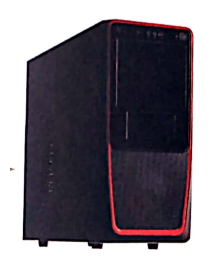
13. Which computer part is shown in this picture?
Question diagram
○ A. Mouse
○ B. Keyboard
○ C. Printer
○ D. CPU box
Parts of a Computer
14. What can keyboard keys be marked with?
○ A. Only animal pictures
○ B. Only flowers
○ C. Letters, numbers and symbols
○ D. Only blank circles
Parts of a Computer
15. Point to the correct name for the pictured part: C...
Question diagram
○ A. Mouse
○ B. Monitor
○ C. CPU box
○ D. Speakers
Parts of a Computer
16. Which pair is matched correctly?
○ A. Speakers - listening
○ B. Printer - watching
○ C. Mouse - typing
○ D. Keyboard - listening
Parts of a Computer
Name: _________________________   Section: __________   Date: __________
17. What is between the two buttons of the mouse shown in the book?
○ A. Paper roll
○ B. Screen
○ C. Scroll wheel
○ D. Keyboard key
Parts of a Computer
18. Point to the correct name for the pictured part: M...
Question diagram
○ A. Mouse
○ B. CPU box
○ C. Keyboard
○ D. Monitor
Parts of a Computer
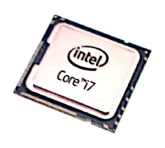
19. The pictured chip is known as the computer's _____.
Question diagram
○ A. ear
○ B. tail
○ C. wheel
○ D. brain
Parts of a Computer
20. Which part helps the computer work and control other parts?
○ A. Mouse pad
○ B. CPU
○ C. Speaker stand
○ D. Printer paper
Parts of a Computer