← Paper libraryChoose A4 paper in print settings.
Name: _________________________   Section: __________   Date: __________
1. What is between the two buttons of the mouse shown in the book?
○ A. Paper roll
○ B. Screen
○ C. Scroll wheel
○ D. Keyboard key
Parts of a Computer
2. Which pair is matched correctly?
○ A. Keyboard - typing
○ B. Printer - music
○ C. Speakers - drawing
○ D. Mouse - printing
Parts of a Computer
3. Which part helps the computer work and control other parts?
○ A. Mouse pad
○ B. CPU
○ C. Speaker stand
○ D. Printer paper
Parts of a Computer
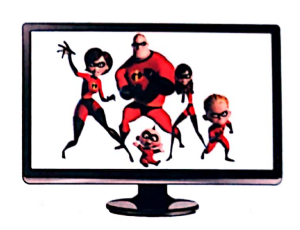
4. Which computer part is shown in this picture?
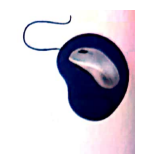
Question diagram
○ A. Speakers
○ B. Monitor
○ C. Mouse
○ D. Keyboard
Parts of a Computer
Name: _________________________   Section: __________   Date: __________
5. What is the use of the part in this picture?
Question diagram
○ A. It washes clothes
○ B. It prints on paper
○ C. It helps point, select and open things
○ D. It stores fruit
Parts of a Computer
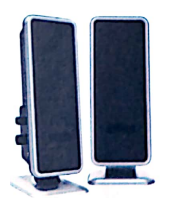
6. Point to the correct name for the pictured part: S...
Question diagram
○ A. Printer
○ B. Speakers
○ C. Keyboard
○ D. CPU box
Parts of a Computer
7. What is the paper with printed computer work called?
○ A. Key
○ B. CPU
○ C. Pointer
○ D. Printout
Parts of a Computer
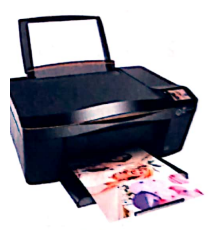
8. Which part can produce a paper copy of a letter?
Question diagram
○ A. Monitor stand
○ B. Keyboard
○ C. Printer
○ D. Speakers
Parts of a Computer
Name: _________________________   Section: __________   Date: __________
9. Which computer symbol is shown in this picture?
Question diagram
○ A. Printer
○ B. Keyboard key
○ C. Mouse pointer
○ D. Speaker
Parts of a Computer
10. Which part can play the sound of a computer cartoon?
Question diagram
○ A. Speakers
○ B. Keyboard
○ C. Printer
○ D. Mouse pad
Parts of a Computer
11. Which part can help you type your name?
○ A. Speakers
○ B. Monitor
○ C. Keyboard
○ D. Printer
Parts of a Computer
12. Point to the correct name for the pictured part: M...
Question diagram
○ A. Mouse
○ B. CPU box
○ C. Keyboard
○ D. Monitor
Parts of a Computer
Name: _________________________   Section: __________   Date: __________
13. How many buttons does the mouse described in the book have?
○ A. Ten
○ B. Six
○ C. Five
○ D. Two
Parts of a Computer
14. Which group contains only computer parts?
○ A. Bus, train and bicycle
○ B. Chair, scissors and table
○ C. Cat, flower and tree
○ D. Monitor, mouse and keyboard
Parts of a Computer
15. Which part is a flat board with many keys?
○ A. Monitor
○ B. Mouse
○ C. Speakers
○ D. Keyboard
Parts of a Computer
16. Which part is used to point, select and open things?
○ A. Mouse
○ B. Speakers
○ C. CPU box
○ D. Printer
Parts of a Computer
Name: _________________________   Section: __________   Date: __________
17. Which part looks like a television?
○ A. Keyboard
○ B. Monitor
○ C. Printer
○ D. Mouse
Parts of a Computer
18. Which list gives the four main parts in the book?
○ A. Monitor, keyboard, CPU and mouse
○ B. Printer, tree, cat and mouse
○ C. Fan, fridge, bus and car
○ D. Table, chair, robot and flower
Parts of a Computer
19. Which part is called the brain of the computer?
○ A. Printer
○ B. Mouse
○ C. CPU
○ D. Speakers
Parts of a Computer
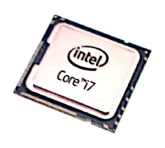
20. Which is the full form of the part shown?
Question diagram
○ A. Computer Picture Unit
○ B. Central Playing Unit
○ C. Central Processing Unit
○ D. Colour Printing Unit
Parts of a Computer